
Oopbuy points mall: spending points on a partner catalogue
Points are spent on a separate catalogue run with a partner and confirmed in the Oopbuy app. Items there have their own rules: 30 days of free storage, no returns, and shipping you pay yourself.
Redeeming an item, step by step
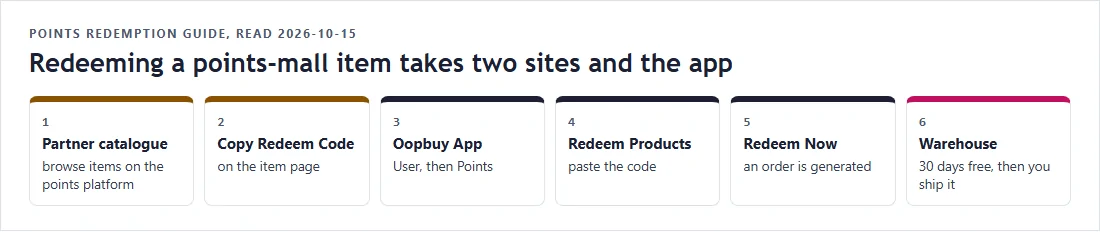
The official redemption guide sends you to a partner points platform at pointshaul.com. You browse its items, open one, and press Copy Redeem Code. Then, in the Oopbuy app, you go to User and then Points, tap Redeem Products, paste the code and tap Redeem Now. An order is generated and appears under Orders; past redemptions are listed under Redemption Records.
The item page itself describes the paste step slightly differently: Personal Center, then My Credits, then Redeem Products, on the Oopbuy website. The same balance is called points in one place and credits in another.
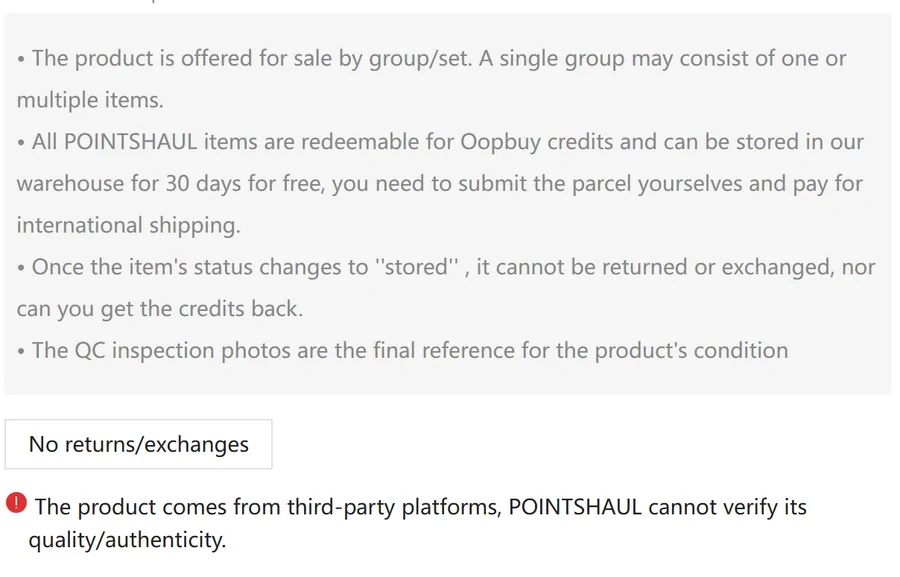
The rules printed on every item page
Each item page on the points platform repeats the same notes. Items are offered by group or set. All items can be stored in the warehouse for 30 days free, and you submit the parcel yourself and pay for international shipping. Once an item's status changes to stored it cannot be returned or exchanged, and the points are not given back. The inspection photos are the final reference for the item's condition. And a red notice says the product comes from third-party platforms and the platform cannot verify its quality or authenticity.
Two of those notes change the arithmetic. Free storage is 30 days here, not the 90 days that apply to normal purchases. And a redeemed item still has to go into a parcel, so it lands on the parcel bill like anything else.
Two published numbers, side by side
The Points Policy sets the earning rate: ¥1 paid earns 1 point. The points platform sets prices: on 15 October an item with a stated price of CNY ¥9.44 was listed at 944 points, and the catalogue's own data showed the same pattern for other items (¥7.10 listed at 710 points).
We print both numbers as published and leave the comparison to you. We do not convert points into a yuan value or a return rate, because the operator does not publish one and items vary in what they actually are.
The October event: points prices at 60%
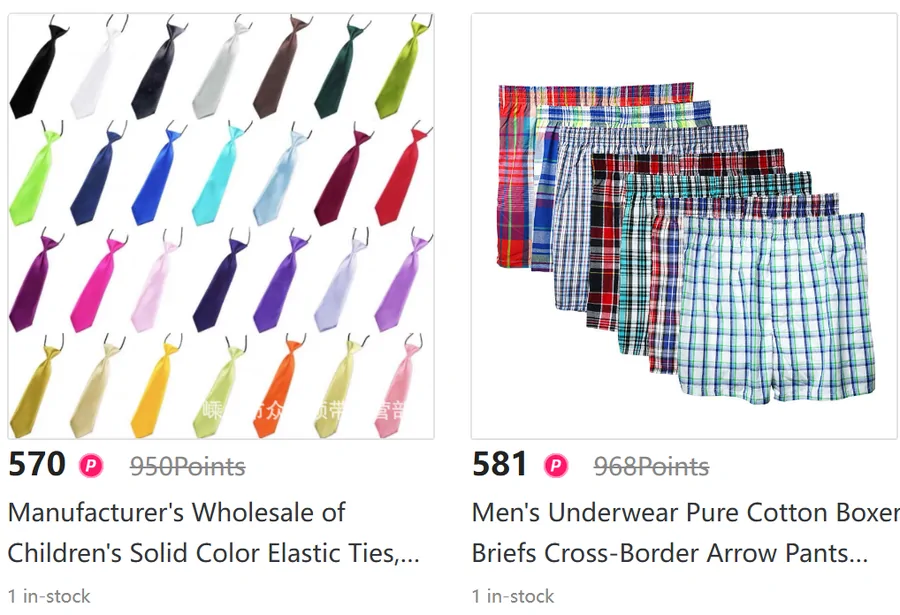
From 9 October 19:00 to 31 October 23:59, the calendar advertises every points mall item at a reduced point cost, 60 percent of the original. The catalogue showed this as a struck-through original next to the event price: 950 points down to 570, 968 down to 581.
The event changes points prices only. It does not affect the 30-day storage, the no-returns rule or the shipping you pay to send the item. If you have points from a parcel that already shipped, this is the window in which they buy the most items; points still waiting on an unshipped parcel cannot be used yet.
The official guide for users with zero points
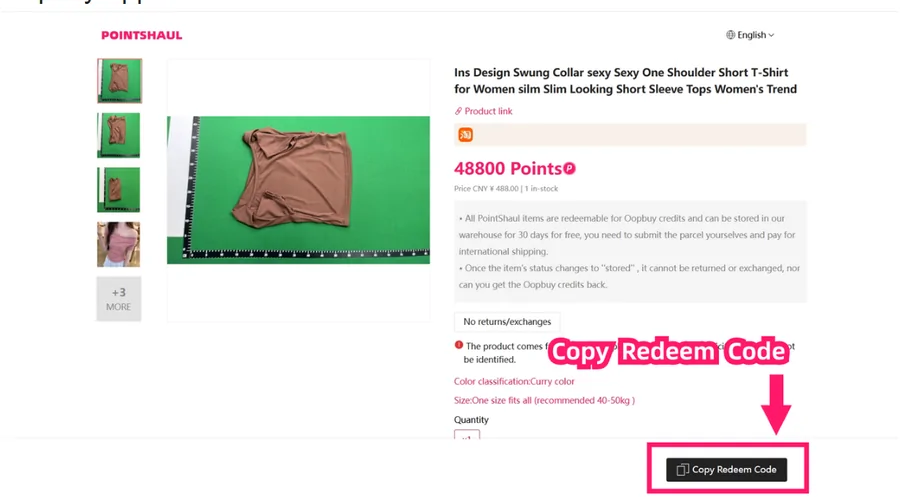
The help centre also has a guide aimed at people with no points yet, with screenshots of the platform and a red box around the Copy Redeem Code button. It follows the same eight steps and ends with the redemption order appearing in your order list.
Points are tied to your account, so the code you copy only works for the account that holds the points.
Stock-outs, storage and where items come from
Redemptions are first come, first served and close when stock runs out. A January 2026 notice covered the case where a redeemed item is cancelled because the supplier ran out: you could take a full refund of the points used, or ask on Discord for a replacement.
Item pages also show a consignor field with a masked email address. The tutorial adds that goods left unshipped for more than 120 days after warehousing may be disposed of through points mall redemption or destruction. Read together, that suggests some mall stock comes from uncollected parcels; the operator does not state it directly, so treat it as a reasonable reading rather than a fact.